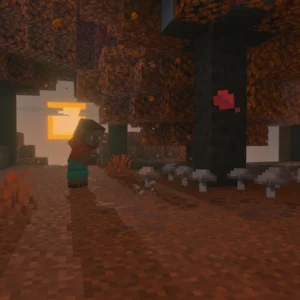
TL;DR:Minecraft 26.3-snapshot-8 adds Realm invite codes (up to 5 per Realm with expiration controls), renames explorer maps for clarity, fixes cushion suffocation behavior, updates villager trades mid-session, and overhauls the World Options screen with new Personal Game Mode and Force Game Mode settings.
Minecraft 26.3-snapshot-8 dropped this Wednesday with Realm invite codes, renamed explorer maps, cushion suffocation fixes, and a revamped World Options screen accessible from the pause menu.
Realm Invite Codes Finally Arrive
This is the headline feature. Realm owners can now create and manage up to five invite codes per Realm. Each code can be toggled active or inactive, set with an expiration date, or deleted entirely. Players join through a new “Join Realm” screen by entering the code. No more digging through share links or managing individual invites one by one. If you run a community server listed on our platform – like CraftMC with its 881 concurrent players – this simplifies onboarding significantly.
Honestly, this should’ve existed years ago. Realms have always felt a step behind third-party hosting in terms of admin tools.
Explorer Maps Get Clearer Names
The three buried structure maps have been renamed for clarity:
- Buried Ancient City Map
- Buried Mineshaft Map
- Abandoned Camp Map
Previously these had more cryptic identifiers. The new names tell you exactly what you’re hunting. Look, helpful when you’re knee-deep in a seed like “Pink and White” (5063885805507972583) from our seed library and pulling maps from cartographers left and right.
Cushions No Longer Break From Partial Coverage
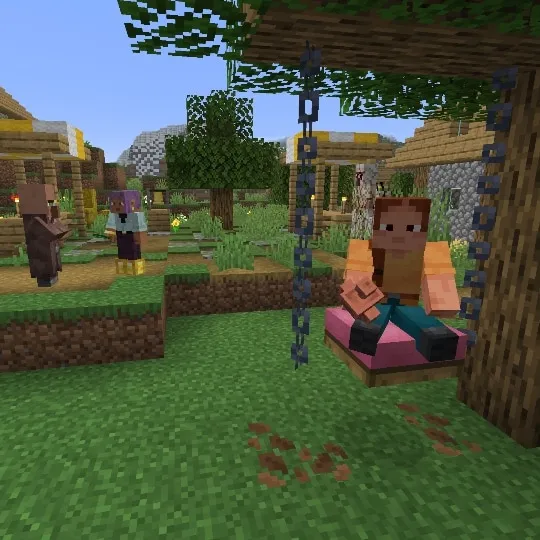
Cushions – added in the previous snapshot batch – now only break when fully covered by suffocation-causing blocks. Before, partial coverage could destroy them. This makes cushion-based builds and redstone contraptions more reliable. A small change, but one that matters for technical players.
Villager Trade Updates Mid-Trade
When a villager levels up and unlocks new trades, those trades now appear immediately – even if you’re currently in the trading UI with that villager. Previously you had to close and reopen the interface. Quality of life improvement that speeds up trading hall sessions.
World Options Screen Overhaul
The World Options screen received another round of polish and is now accessible directly from the pause menu. Key changes:
- “Game Mode” button renamed to “Default Game Mode” – clearer terminology
- General section adds “Personal Game Mode” – shows your active game mode in the current world (same as /gamemode or F3+F4)
- Multiplayer section adds “Force Game Mode” – controls whether other players’ game modes are forced to match the world’s default
These changes make world configuration more transparent, especially for map makers and server hosts. Speaking of hosting – if you’re setting up a server and need to manage votifier or whitelist configs, our Votifier Tester and Whitelist Creator tools handle the busywork.
What This Means For 26.3
Snapshot 8 feels like a polish pass. The Realm invite codes are the only genuinely new system; everything else refines existing mechanics. Given that 26.2 released on June 16, 2026, we’re likely in the late snapshot cycle for 26.3. Expect release candidates soon.
If you’re running a Realm for a community like LigheneuSMP or AppleMC, the invite codes alone justify updating. For single-player? The map renames and World Options tweaks are nice but not urgent.
One last thing: the skin gallery hit 220,246 free skins recently. Unrelated to this snapshot, but worth a look if you’re refreshing your look for the new version.
Source: Read the referenced page.