Minecraft is already fun on its own, but commands can turn a normal world into something much crazier. They let you teleport across the map, spawn mobs instantly, build faster, find structures, control the world rules, and create hilarious moments with friends.
For many players, commands are the moment Minecraft changes from “survival sandbox” into “I can do almost anything.”
If you have never used them before, do not worry. This guide is written in a beginner-friendly way, and the examples are intentionally simple. Also, one important note: commands generally require cheats/operator permissions to be enabled, and typing / in chat shows available commands and syntax hints in supported worlds.
Tip: Most of the examples below are written in a Bedrock-friendly style because the most accessible official command documentation today comes from Microsoft’s Bedrock docs. Many ideas also exist in Java Edition, but the exact syntax can differ.

Before You Start: How Commands Work
The basics are simple:
- Open chat
- Type
/ - Enter a command
- Press Enter
Minecraft’s official command docs explain that commands are run through chat, that the command line starts with /, and that worlds may require operator-command permissions to use them.
Two beginner rules that save a lot of frustration
| Rule | Why it matters |
|---|---|
| Test commands in a copy of your world first | Big commands like /fill or /clone can change a lot very quickly |
| Start with small areas and simple targets | It is much easier to learn safely |
Warning: Commands like /fill and /clone are powerful enough to completely reshape builds in seconds, so always test them on a small area first.
1) /tp — Instantly Teleport Anywhere 🚀
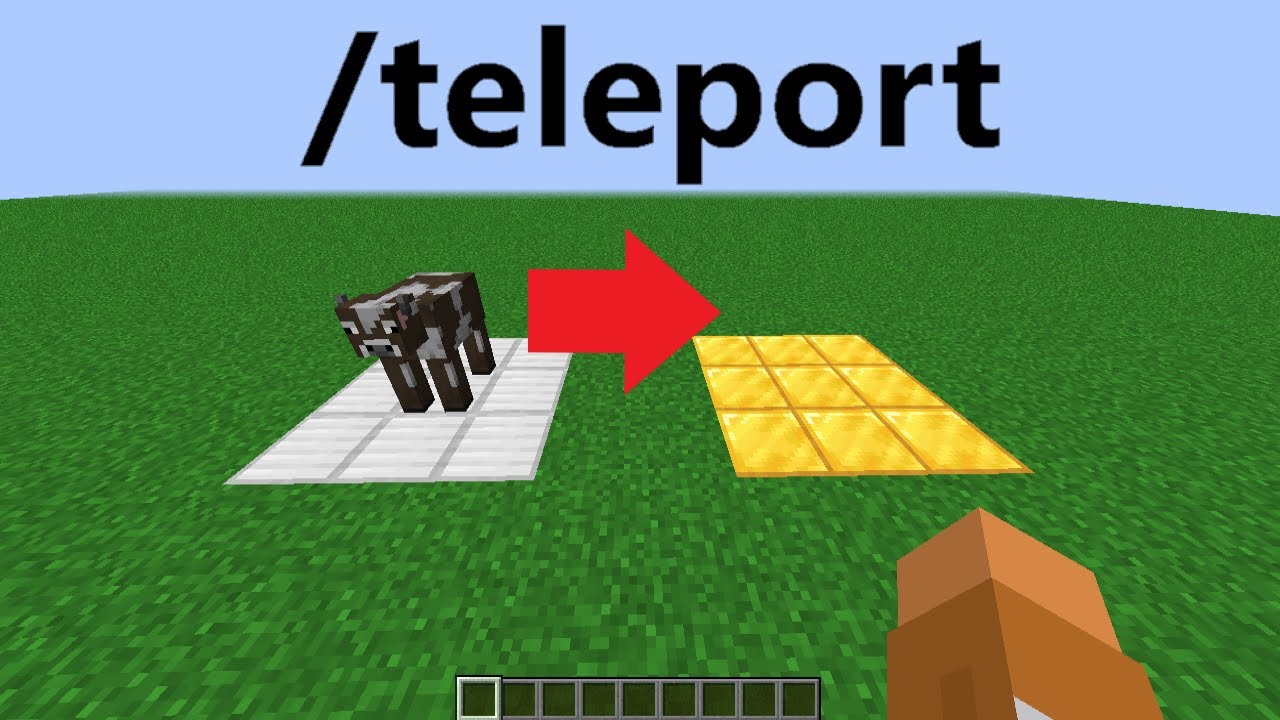
If there is one command every player should try, it is /tp or /teleport.
Microsoft’s official command reference says /teleport can move targets to coordinates or to other entities, and it even supports an optional checkForBlocks argument to help avoid teleporting into occupied blocks.
Why it is fun
Because it immediately removes travel time. You can:
- jump to your base
- move a friend to you
- test builds faster
- create mini-games
- escape bad situations while experimenting
Simple examples
/tp @p 100 70 100
/tp @p @e[type=cow,c=1]
The first teleports the nearest player to coordinates. The second teleports the nearest player to a nearby cow target.
Best use cases
- creative building
- quick world tours
- multiplayer trolling with permission
- map testing
Pro Tip: Start by teleporting to obvious safe coordinates with open space, not into caves or mountain walls.

2) /summon — Spawn Mobs and Entities Instantly 🐉
The /summon command is one of the most entertaining tools in the game. Official docs describe it as a command that summons an entity, optionally with a spawn position, rotation, spawn event, and name tag.
Why it is fun
Because you can create chaos instantly.
Want a horse? Summon it.
Want ten zombies? Summon them.
Want a named mob in your arena? Easy.
Simple examples
/summon minecraft:zombie
/summon minecraft:cow 120 64 120
/summon minecraft:bee 120 70 120 MyBee
Fun ideas
- mob battle arenas
- boss-room style custom fights
- animal flood challenge
- surprise mob events in multiplayer
| Summon idea | Fun level | Best for |
|---|---|---|
| Passive animals | Chill | farms, decoration, funny worlds |
| Hostile mobs | Chaotic | challenge maps |
| Named entities | Very fun | roleplay, mini-games |
Warning: Summoning too many entities at once can make your world messy fast, especially on weaker devices.

3) /effect — Give Yourself Superpowers 💥
The /effect command adds status effects to players, with optional duration, amplifier, and particle visibility settings. The official effect argument list includes examples such as speed, strength, invisibility, night_vision, regeneration, resistance, fire_resistance, water_breathing, jump_boost, and slow_falling.
Why it is fun
Because this is the easiest way to turn Minecraft into superhero mode.
Simple examples
/effect @p speed 30 2
/effect @p jump_boost 30 4
/effect @p slow_falling 20 1
/effect @p night_vision 60 1
Fun effect combos
- Speed + Jump Boost for parkour chaos
- Slow Falling + Jump Boost for moon mode
- Night Vision for cave exploring
- Fire Resistance for lava experiments
Tip:
/effectis one of the easiest commands for beginners because the results are immediate and easy to understand.

4) /locate — Find Cool Structures Faster 🧭
The /locate command helps you find the nearest specified biome or structure if one exists in the current dimension. Official docs list structures including village, mansion, shipwreck, ruined_portal, bastion_remnant, ancient_city, trail_ruins, and trial_chambers.
Why it is fun
Because it cuts out hours of blind searching.
Simple examples
/locate structure village
/locate structure stronghold
/locate structure ancient_city
Best reasons to use it
- you want fast adventure content
- you are testing seeds
- you are building challenge maps
- you want to compare structures quickly
| Structure to locate | Why players love it |
|---|---|
| Village | Easy early loot and villagers |
| Stronghold | End progression |
| Ancient City | Risk + rare loot |
| Trial Chambers | Modern adventure content |
Pro Tip: Pair
/locatewith/tpand you can instantly turn a normal world into a rapid-fire exploration series.

5) /fill — Build Huge Shapes in Seconds 🧱
The /fill command fills a region from one position to another with a chosen block, and can also use optional handling modes. That makes it one of the most powerful building commands available.
Why it is fun
Because it feels like creative mode on steroids.
Simple examples
/fill 0 64 0 10 64 10 stone
/fill 0 64 0 10 70 10 glass
What you can do with it
- make giant walls
- create arenas
- flatten small zones
- build cubes instantly
- replace space with building material fast
Beginner-friendly build ideas
- glass box challenge
- instant mob arena
- giant maze walls
- sky platform
Warning: This is one of the easiest commands to misuse. Double-check your coordinates before pressing Enter.

6) /clone — Copy and Paste Builds Like Magic 🏗️
The /clone command copies a set of blocks from one location to another destination, with optional mask and clone modes. In practical terms, it is Minecraft’s copy-paste command.
Why it is fun
Because you can duplicate builds, traps, mini-games, walls, and test areas almost instantly.
Simple example
/clone 0 64 0 5 68 5 20 64 20
That copies a selected block region to a new destination.
Great uses
- duplicate houses
- test room variations
- make mirrored arenas
- create puzzle maps faster
- copy redstone prototypes
| Clone use | Why it is useful |
|---|---|
| Duplicate builds | saves time |
| Test multiple layouts | great for creators |
| Make symmetrical areas | perfect for arenas |
| Backup parts of a project | safer experimentation |
Pro Tip: Use
/cloneon small practice builds first. Once you trust your coordinates, it becomes one of the best creator commands in the game.

7) /execute — The Command That Makes Other Commands Way Cooler ⚙️
Official docs describe /execute as a command that runs commands on behalf of one or more entities, and the newer Bedrock syntax supports forms like as, at, if, and more. Microsoft also notes that the newer execute syntax in Bedrock moved toward Java-style structure starting in 1.19.70, though it does not yet have full parity with Java Edition.
Why it is fun
Because this is the command that makes advanced command systems possible.
You can make commands happen:
- as a mob
- at a player
- only if a block exists
- only if a condition is true
Simple example
/execute as @e[type=zombie] at @s run summon lightning_bolt
This kind of setup is the gateway to mini-games, boss mechanics, traps, and fancy multiplayer gimmicks.
Best use cases
- command block systems
- custom boss fights
- proximity traps
- world events
- arena scripting
Tip:
/executeis not the best first command to master, but it is absolutely one of the most fun once you understand it.

8) /gamerule — Change How the World Behaves 🌍
The /gamerule command sets or queries world rules. Microsoft’s docs note that it can set Boolean and integer gamerules, and their gamerule introduction explains it can dramatically change how a world behaves.
Why it is fun
Because instead of changing one player or one block, you change the rules of the whole world.
Simple examples
/gamerule doDaylightCycle false
/gamerule keepInventory true
/gamerule doMobSpawning false
Why players love it
- freeze time for building
- keep items on death
- stop mob spawning during testing
- customize challenge maps
| Gamerule | Fun effect |
|---|---|
keepInventory true |
removes death frustration |
doDaylightCycle false |
permanent day or night builds |
doMobSpawning false |
peaceful testing zone |
Pro Tip: If you are making screenshots, showcase worlds, or cinematic builds,
/gameruleis one of the best quality-of-life tools in Minecraft.

9) /particle — Add Instant Visual Effects ✨
Microsoft’s current command reference includes /particle, and its broader particles documentation explains that particles can create visual effects such as smoke, magic-like visuals, bubbles, and more.
Why it is fun
Because sometimes the coolest command is not about power—it is about style.
What you can do
- make magical rooms
- add dramatic entrances
- decorate boss arenas
- improve adventure maps
- create “wow” moments in multiplayer
Best situations for /particle
- fantasy builds
- wizard towers
- command-block mini-games
- portal rooms
- custom cutscenes
Tip: Even a simple build feels more impressive when it has visual effects around it.

10) /help — The Most Underrated Fun Command 📚
This one sounds boring, but it is actually one of the best commands for experimenting.
Microsoft’s current command list notes that running /help in chat by itself lists every command you can run. Combined with Minecraft’s syntax hints in chat, this makes it a great discovery tool for beginners.
Why it is fun
Because it opens the door to everything else.
When you are new to commands, /help is not just documentation—it is inspiration. You see commands you did not know existed, then start testing them one by one.
Example
/help
Why it belongs on this list
Because the most fun command is sometimes the one that helps you discover the next nine.
Best 3 Commands for Absolute Beginners
If you are brand new, start here:
| Rank | Command | Why start here |
|---|---|---|
| 1 | /tp |
instant results, easy to understand |
| 2 | /effect |
fun powers with minimal setup |
| 3 | /locate |
useful and exciting immediately |
These are easy, visual, and low-stress.
Best 3 Commands for Creative Builders
| Rank | Command | Why builders love it |
|---|---|---|
| 1 | /fill |
huge time saver |
| 2 | /clone |
copy and paste builds |
| 3 | /gamerule |
makes build worlds easier to manage |
Best 3 Commands for Chaos and Multiplayer Fun 😈
| Rank | Command | Best use |
|---|---|---|
| 1 | /summon |
instant mob madness |
| 2 | /tp |
surprise teleports |
| 3 | /execute |
advanced traps and events |
Warning: Multiplayer command trolling is funniest when everyone is in on the joke. Use commands in a way that fits the server or group.
5 Quick Command Ideas You Can Try Right Now
Here are a few fun mini-experiments:
1. Super Jump Test
/effect @p jump_boost 20 5
2. Spawn a Mob Crowd
/summon minecraft:zombie
3. Locate a Village Fast
/locate structure village
4. Freeze Daytime for Building
/gamerule doDaylightCycle false
5. Make a Quick Stone Arena
/fill 0 64 0 10 64 10 stone
Common Beginner Mistakes With Commands
1. Forgetting cheats or permissions
Many commands require command access or cheats/operator permission.
2. Using large coordinates too quickly
This is how players accidentally teleport far away or overwrite huge areas.
3. Testing /fill or /clone in important builds
Always practice somewhere safe first.
4. Assuming Java and Bedrock syntax always match
Many ideas overlap, but syntax can differ, especially for more advanced commands.
5. Jumping into /execute too early
It is powerful, but easier after you understand selectors and basic commands first.
Final Thoughts: Commands Make Minecraft Feel Bigger
The best thing about commands is not just that they are useful. It is that they make Minecraft feel more open.
With a few simple commands, you can:
- travel faster
- build faster
- experiment more
- create better worlds
- make multiplayer much funnier
- turn normal gameplay into custom gameplay
If you only try three today, make them:
/tp/effect/summon
Those three alone are enough to show why commands are such a big part of Minecraft’s long-term fun.
Pro Tip: The real fun starts when you combine commands.
/locate+/tp,/effect+ parkour,/summon+/execute, and/fill+/clonecan create entire mini-games in minutes.